

The technology of the office has come a long way since the computer upended the way we do commerce. Yes, the computer has become a necessity, not just an expensive way to one-up your competitors. Still, the small office needed documents created, budgets drafted, data collated, etc. While one or two big names dominated the market, there was a time when it was still anyone’s game. In 1988, to spice up the software market, Lotus went a little free-form in making an office suite known as Lotus Jazz.

Lotus had achieved monuments success with their 1-2-3 offering, giving the I.B.M. a competitive edge over Apple. Visicalc introduced spreadsheets, and with it, made Apple the king of the office. This was way before the mid-90s turn of fortunes of Apple, where it was seen more as a device for artists and graphic designers. Hoping Lotus could make a splash with a similar offering to the rest of the established market, and offered a multi-disk bundle called Lotus Jazz. With advanced copy-protection and taking full use of the resources of Apple’s machines, Jazz was a costly proposition in 1988.

This being an office suite, the program comes with a few familiar favourites, going beyond the 1-2-3 of Lotus’s initial offerings. You could craft Word Documents (before that term became synonymous with Microsoft), create spreadsheets (the bread and butter of Lotus and Mac’s Visicalc), draw graphs, make forms, and establish databases in a simple-to-grasp visual way. While we don’t tend to think too much about multitasking nowadays, in the office of 1988, that was a game changer. You can have multiple files open in the same app, so if you needed to directly quote O.C.P.’s quarterly figures over Wayland-Yutani’s, with both documents up and running. So you could live out of Jazz if you only needed to do basic office tasks with the computer.

Despite the greyscale look of the classic Apple computers, a lot of the visual language has remained over the past forty years. Spreadsheets still look like spreadsheets today, you select fonts from menus, only with fewer icons than you might be used to. It works well enough on modern computers, with the flaws that turned the users of the day off, mostly squired away. Today, the offerings that come today can more than meet your needs, but it is worth noting that this review was drafted on Lotus Jazz. As the corporations behind the office suites that you love continue making choices that you may not agree with, it is comforting to know you have options that might work just as well.
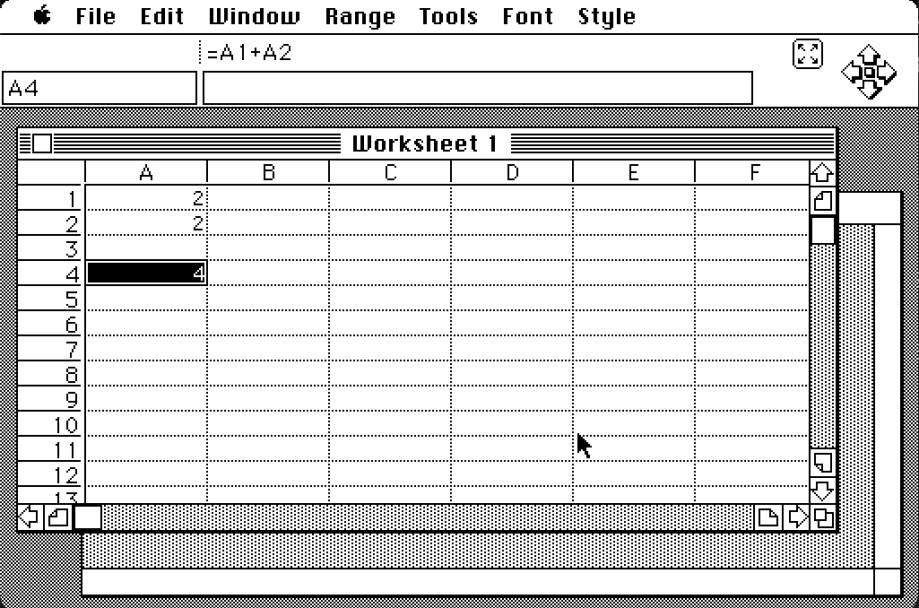
While it would be foolish to suggest ditching the office suite you’re using today, it is nice to know that if you require some more vintage solutions for your home office, the old ways still hold up well. Most of the cumbersome aspects of the software feel fundamentally trivial in the year 2025, so do the use cases. Now it’s commonplace to go to your documents collaboratively with a web browser, or ask AI to generate reports for you. If you’re feeling like brushing up on the fundamentals of office work, however, an appreciation of Jazz might come in handy.
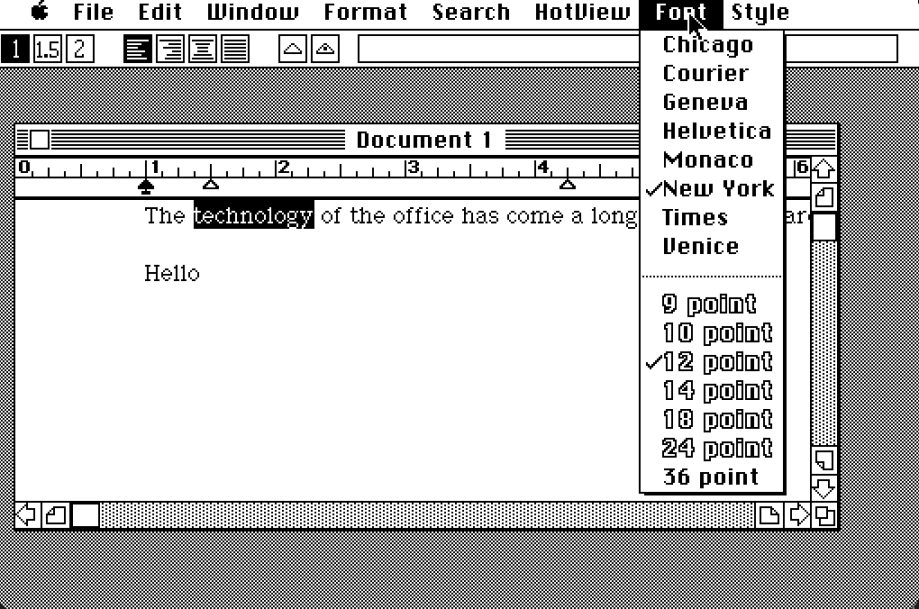
If you want more positive reviews delivered to the e-mail box of your choice, you can click on that little text bubble at the bottom of the screen. Do you agree or disagree? or have a suggestion for another pop-culture artefact that needs a positive light shone on it? Leave a comment in the comment box below! But remember to keep it positive!
 The Real Mr. Positive